
How to Specify a Custom Raised Relief Map
A raised relief map turns elevation into a physical surface that can be read from above, across a room, or at close range. The specification should make clear what area is being represented, which features deserve emphasis, how much text the audience needs, and how the finished map will be displayed.
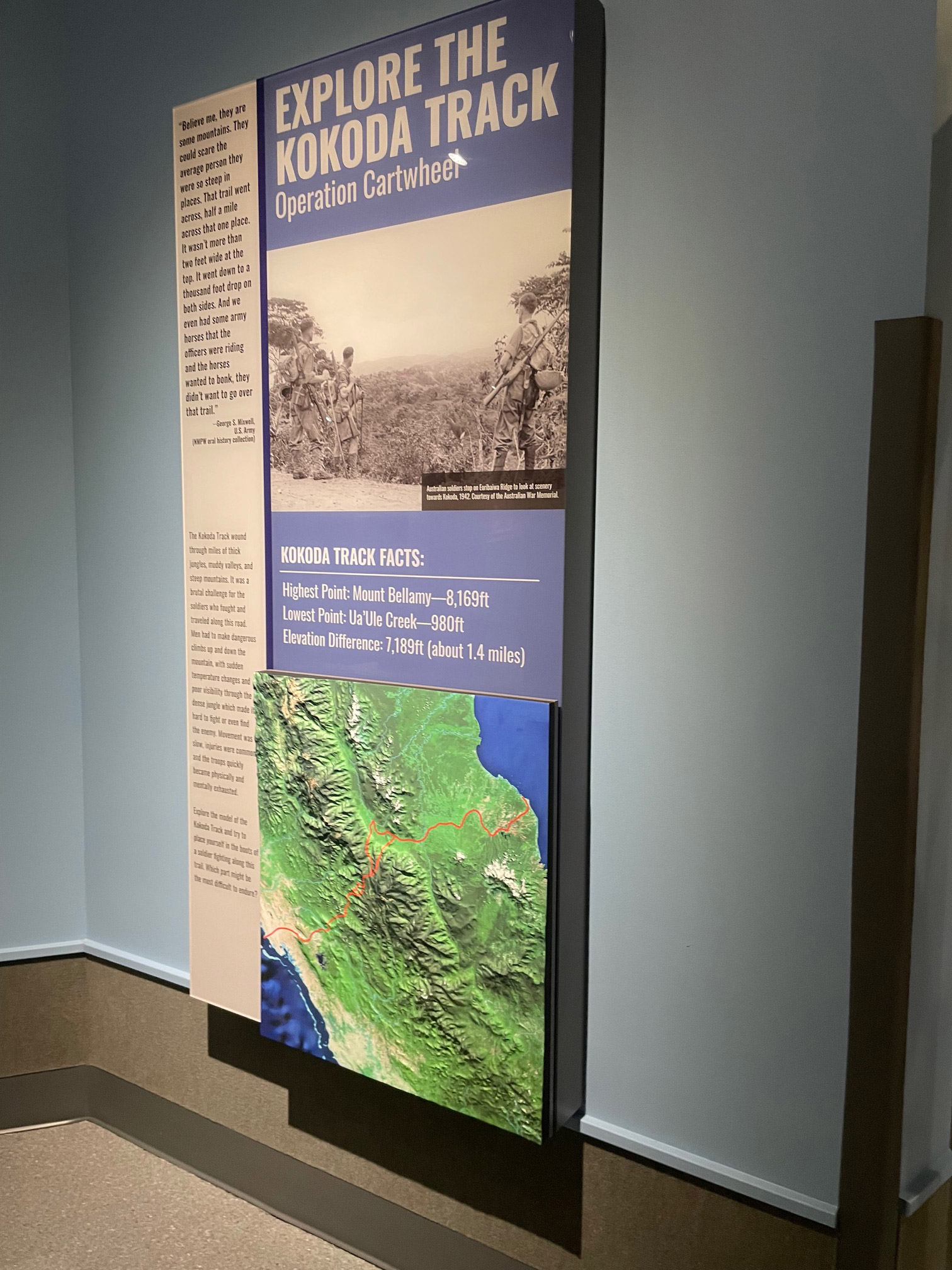
Start with the area and the job of the map
Define the geographic extent and the reason the map exists. A raised-relief display may support visitor orientation, a museum interpretation, a conservation program, a classroom, a planning discussion, a destination presentation, or a lobby installation. The purpose helps determine scale, label density, color, relief emphasis, and the amount of context around the main subject.
For the plain definition of the term, see the separate what-is a raised relief map page. This article focuses on the buyer decisions that come before a custom model is scoped.
Choose scale and physical dimensions together
State the map width, height, thickness or relief depth, and preferred orientation. Then test whether the important landforms, routes, labels, and overlays remain readable at the main viewing distance. A broad region may need a restrained amount of detail; a smaller site may support denser annotation and stronger local relief.
Supply elevation and reference data
A custom relief map may use a digital elevation model, lidar-derived elevation, contours, survey information, imagery, or other geographic references. USGS 3DEP provides current elevation products such as digital elevation models and lidar point clouds. Identify the data source, boundary, coordinate information, and any usage restrictions the project team needs to resolve before design begins.
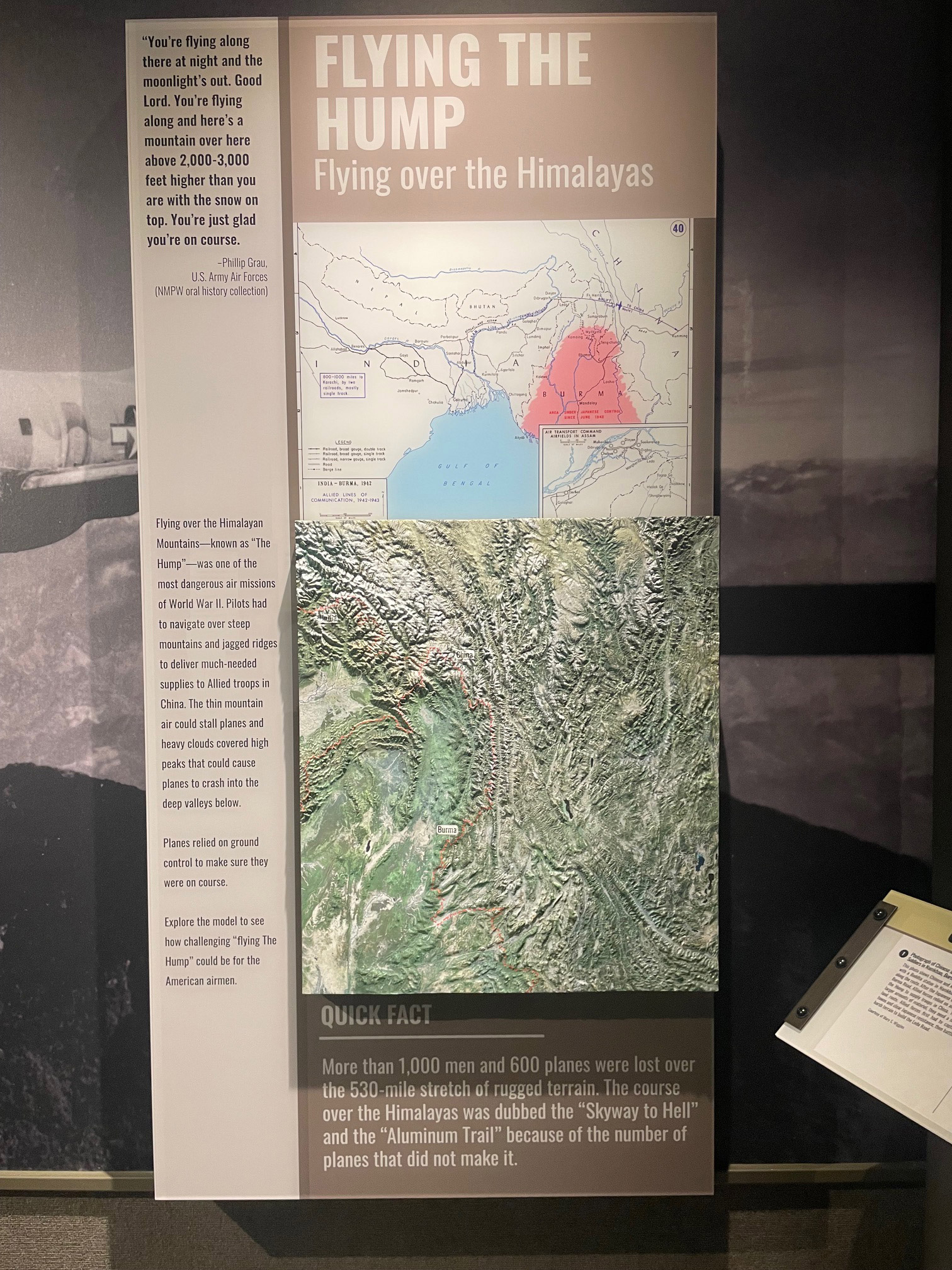
Decide how the terrain should read
The amount of vertical emphasis affects how quickly a viewer understands ridges, valleys, slopes, shorelines, and other landforms. Describe the intended viewing distance and the terrain features that must stand out. A museum visitor may need a strong overall silhouette, while a technical audience may prefer a quieter surface that leaves more room for data layers.
Build the information hierarchy
List the labels, roads, waterways, boundaries, buildings, routes, points of interest, and overlays that belong on the map. Separate essential features from supporting context. Decide whether the map needs printed labels, a companion legend, removable markers, color-coded regions, or a simple lighting or interaction layer.
Choose the display and viewing conditions
A raised relief map can be planned for a tabletop, wall, pedestal, exhibit case, or another defined presentation. Measure the available footprint, viewing height, clear approach, lighting, delivery route, and storage area. If people will walk around the piece, identify the sides that need to look finished and the views that matter most.
Raised relief map specification checklist
- Geographic extent, boundary, orientation, and intended purpose
- Map width, height, relief depth, scale, and primary viewing distance
- Elevation, lidar, contour, survey, imagery, or GIS source files
- Landforms, waterways, routes, labels, boundaries, and overlays to emphasize
- Color direction, legend, markers, lighting, or interactive requirements
- Tabletop, wall, pedestal, case, exhibit, or other display format
- Access route, transportation, storage, schedule, and reuse plans
Compare finished raised-relief examples
Browse the 3D topographical model gallery to compare how physical relief, printed information, and display furniture work together. The examples can help clarify the desired balance between terrain, labels, color, and viewing distance without replacing the project-specific brief.
Request a raised relief map estimate
Share the map boundary, source data, approximate size, display environment, feature priorities, access details, and schedule through the custom topographical models service.
Related raised-relief map resources
Explore custom topographical models and raised-relief displays while you plan scale, terrain, labels, overlays, and presentation.
Custom 3D Map Quote
Share the size, placement, finish, timing, and reference files available for your project.