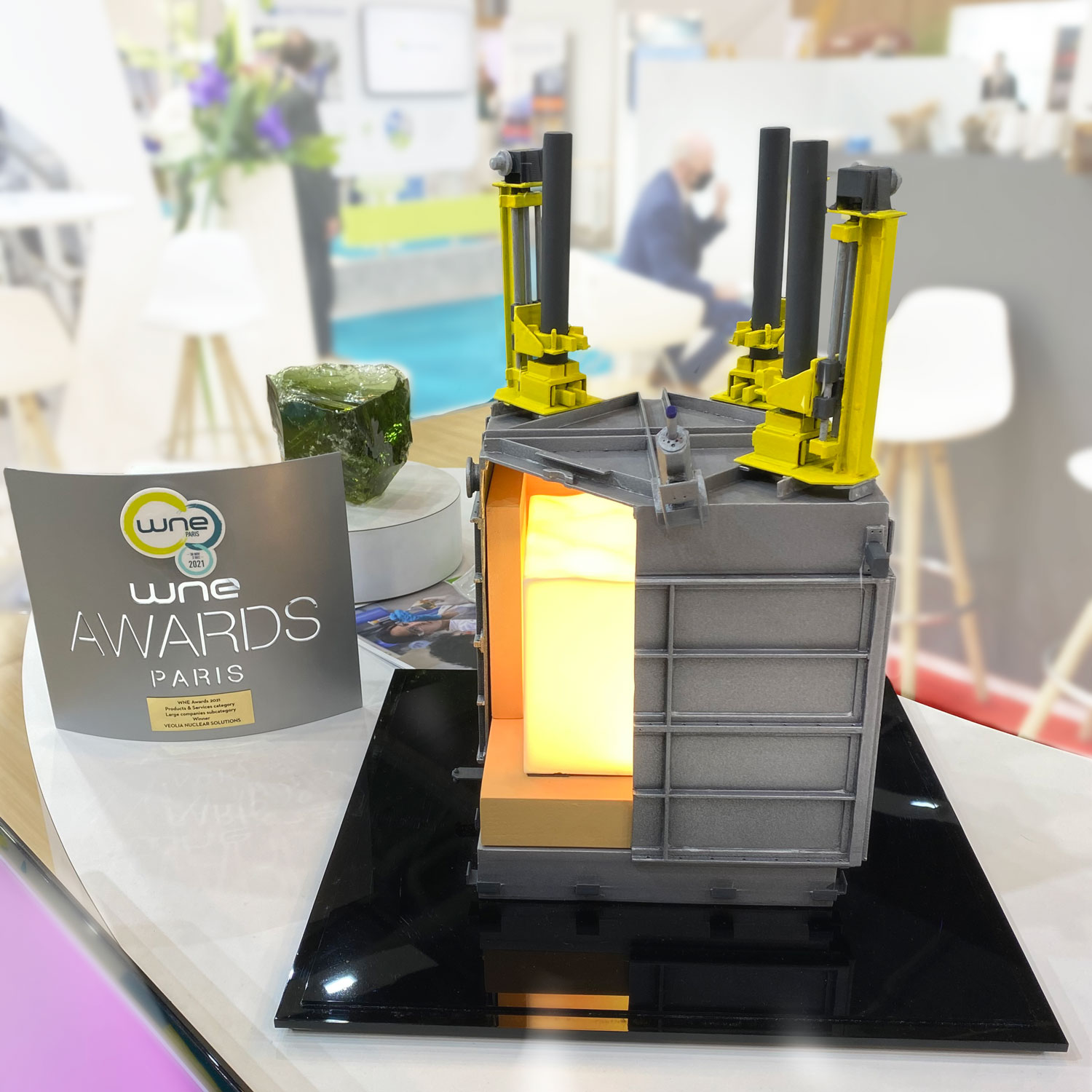
Custom Industrial 3D Models for Equipment, Facilities & Technical Presentations
WhiteClouds designs and fabricates custom industrial 3D models that help teams explain complex equipment, machinery, processes, facilities, infrastructure, and technical products in a clear physical format.
From sales demonstrations and trade show displays to investor presentations, planning reviews, training tools, cutaway models, and interactive exhibits, we build industrial models around the real system, audience, display environment, timeline, and presentation goals.
Industrial models built to make large, complex, technical, or hard-to-transport systems easier to explain.
Explore examples ↓Industrial 3D models that help teams explain, sell, train, plan, and present complex systems.
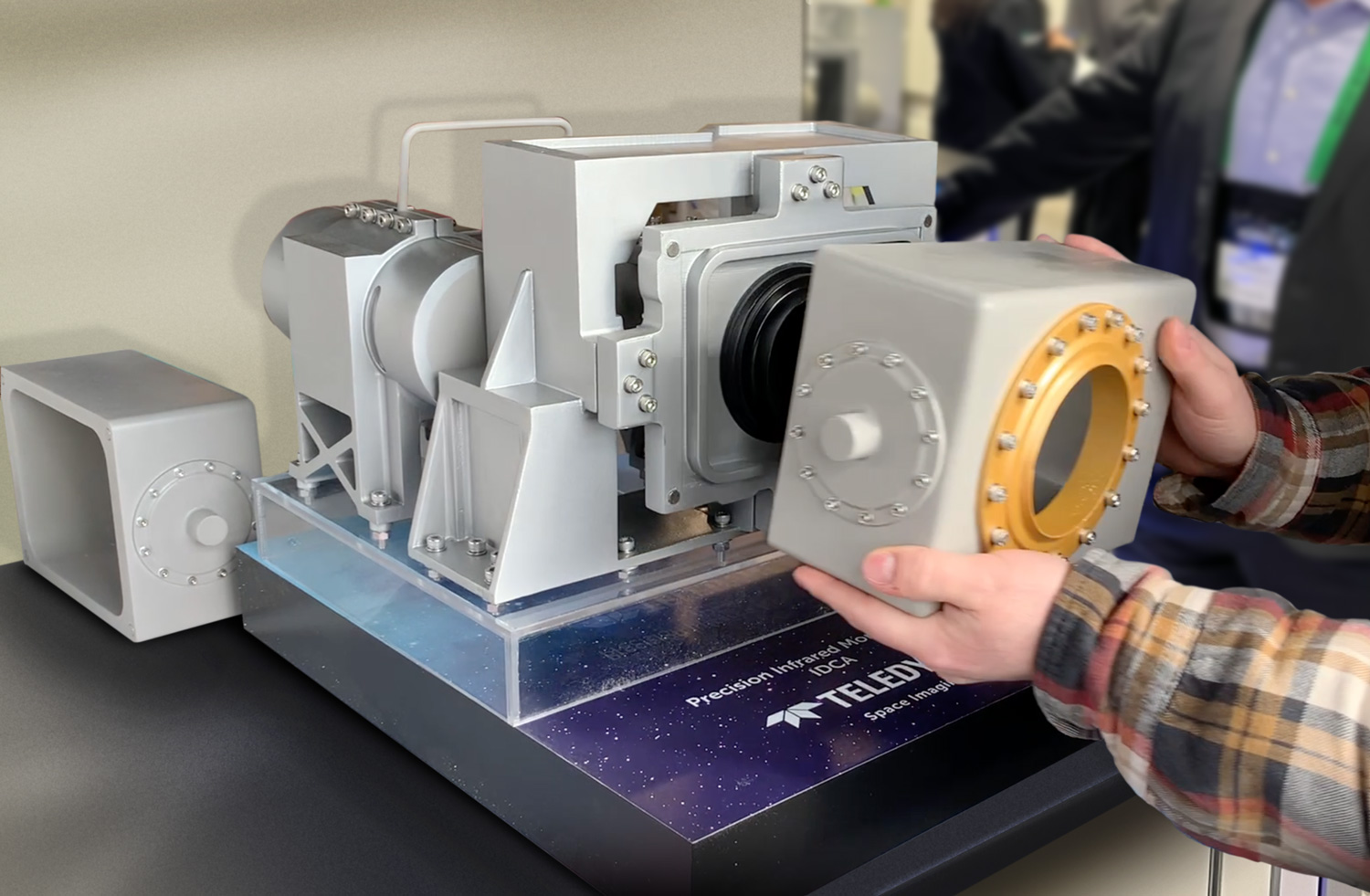
Equipment & machinery presentations
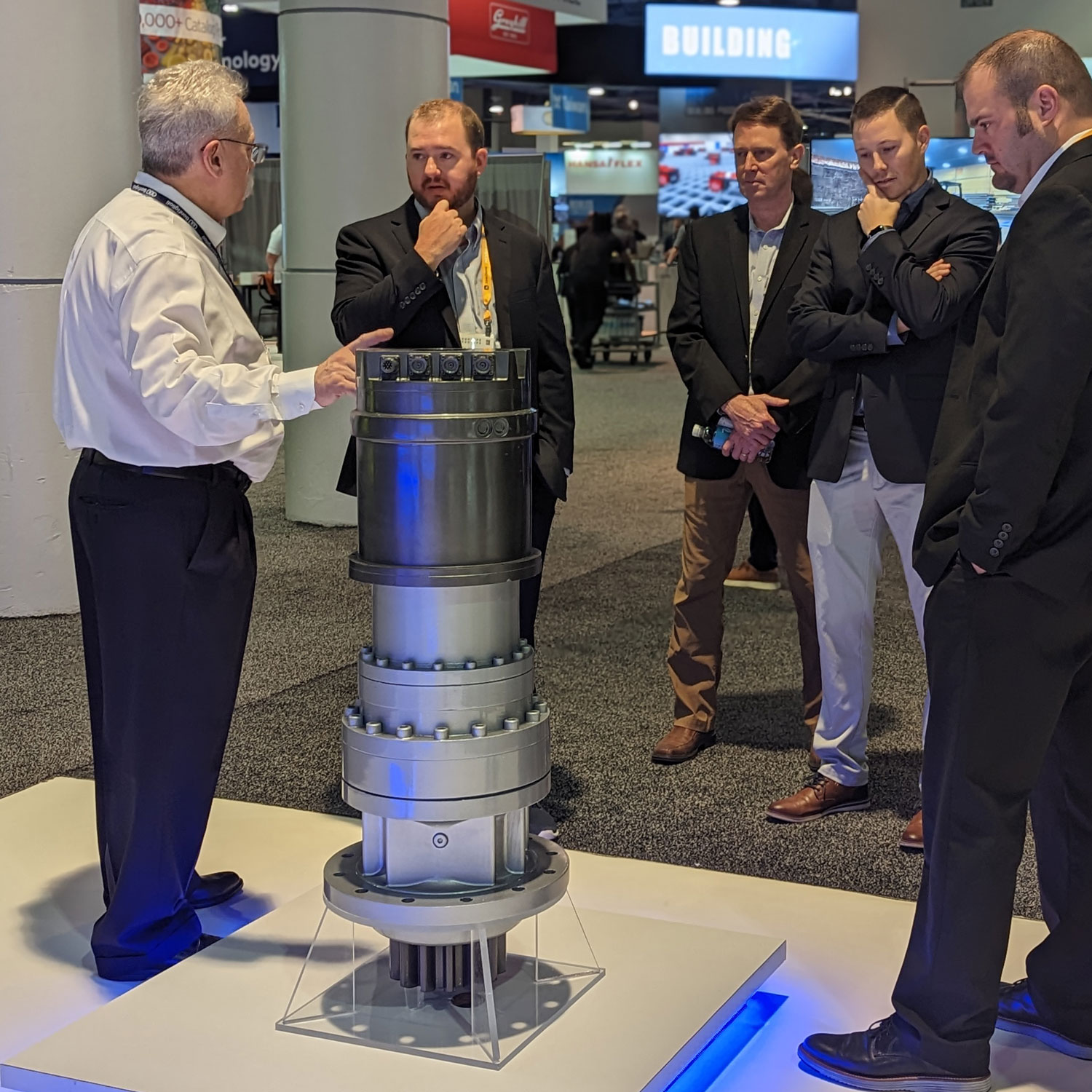
Scaled models, oversized equipment replicas, and product displays help sales and engineering teams explain large equipment without bringing the full machine to the meeting or trade show.
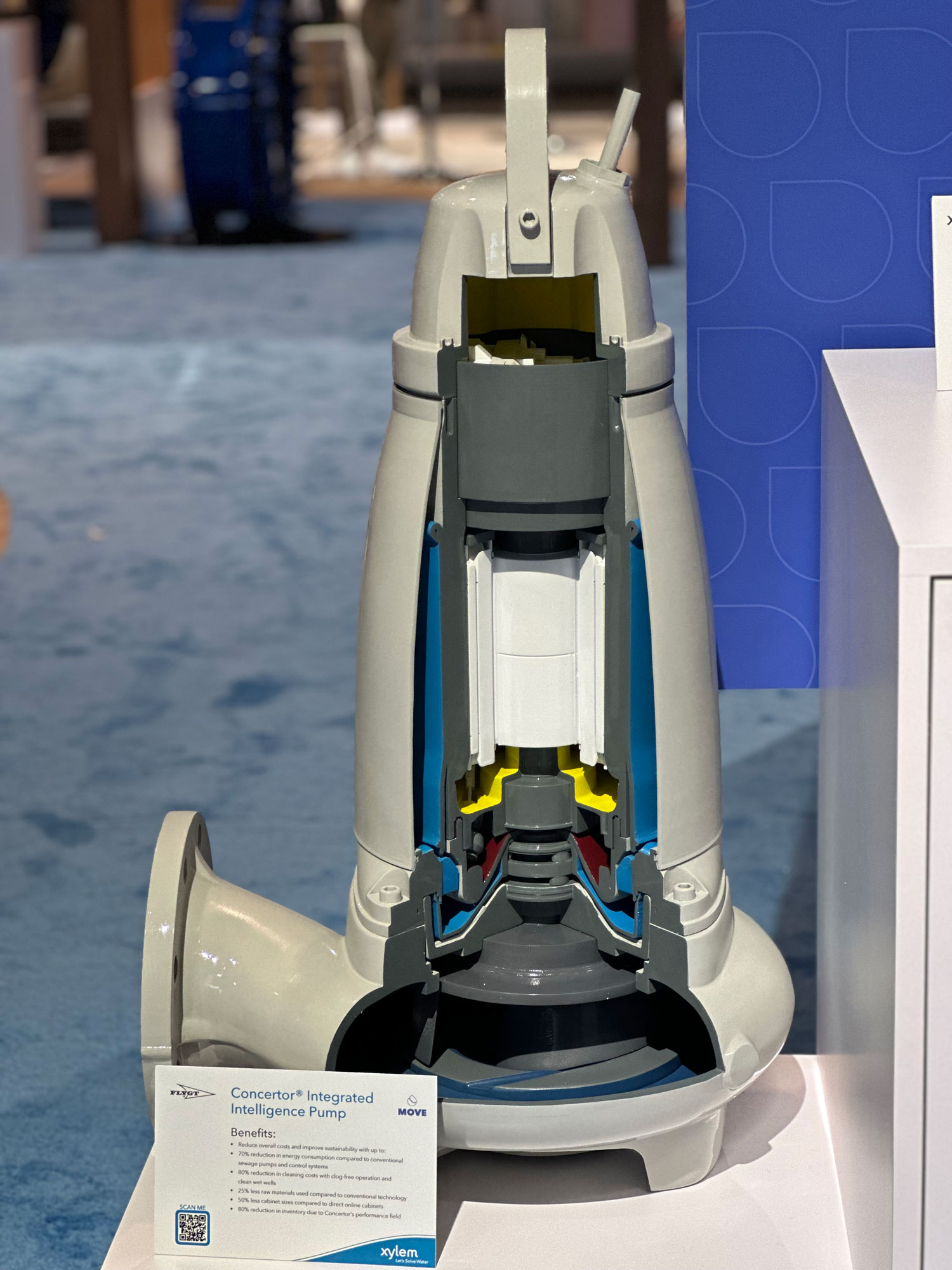
Cutaway and internal detail models
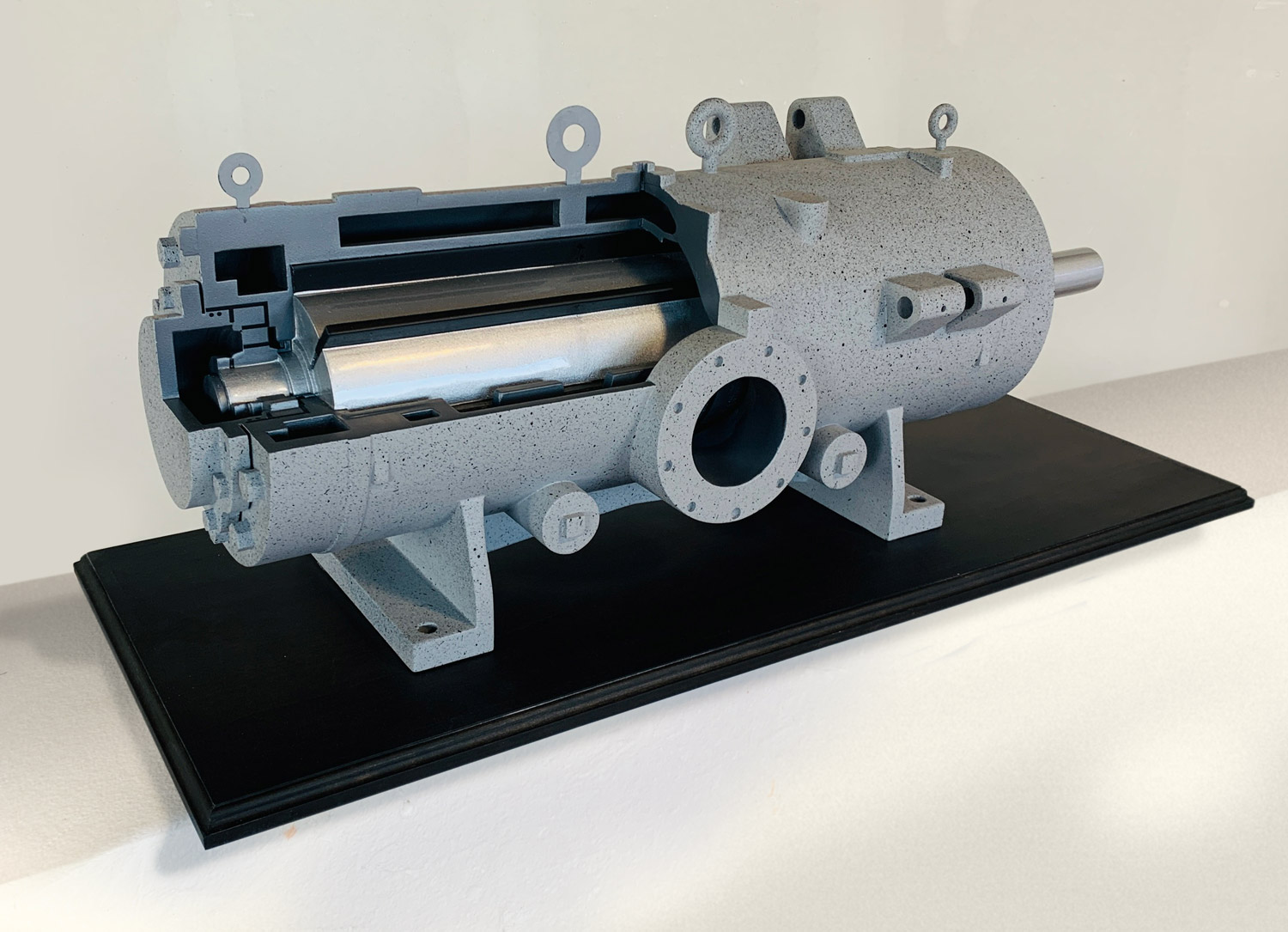
Cutaway sections, removable parts, open interiors, labels, lights, and visible system details help people understand how a product, facility, or process works.
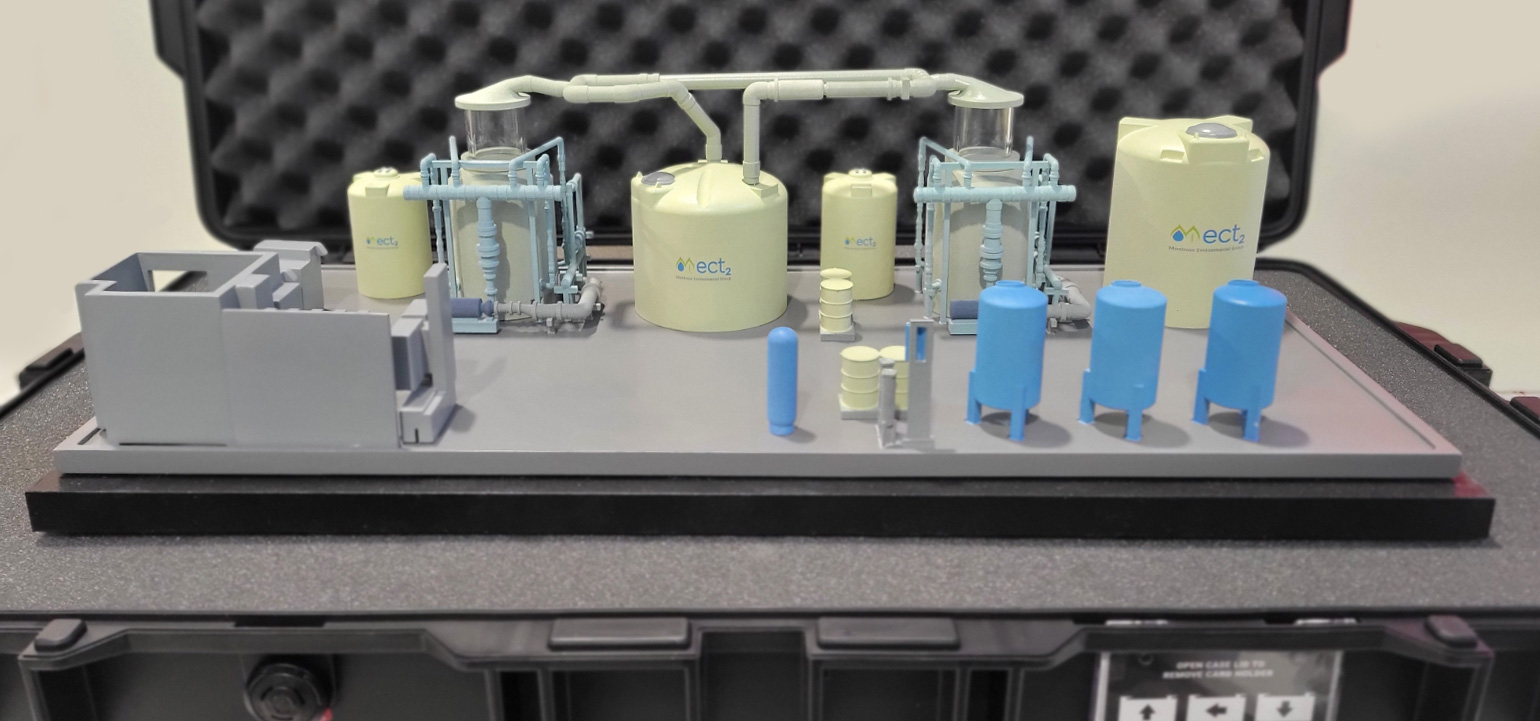
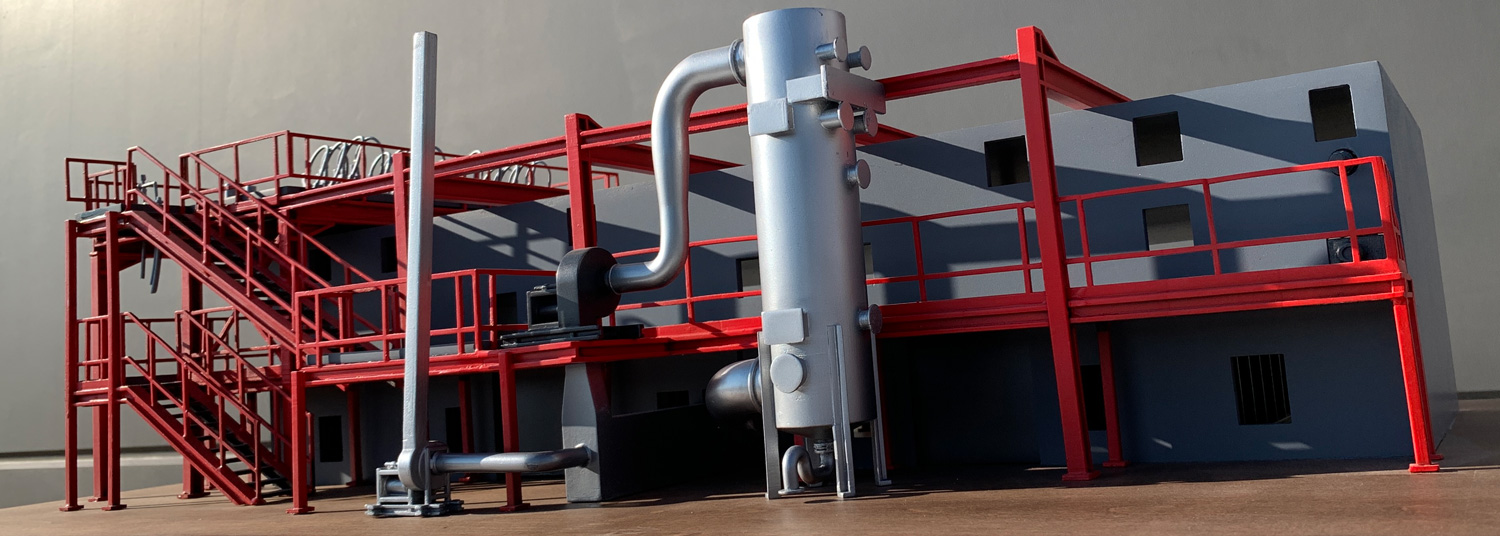
Facility, process, and infrastructure models
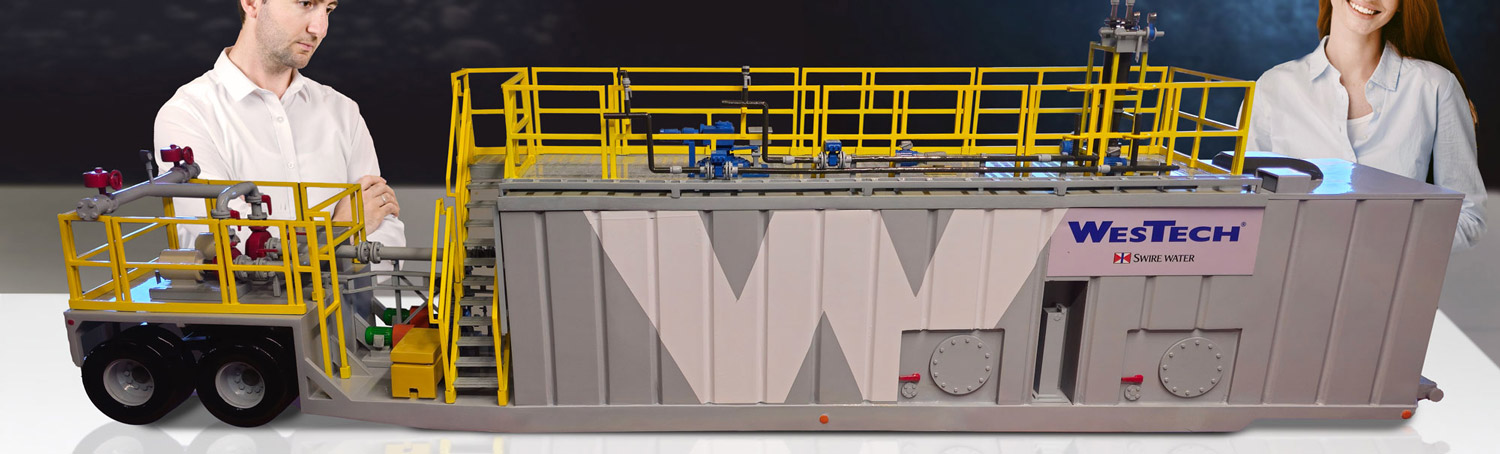
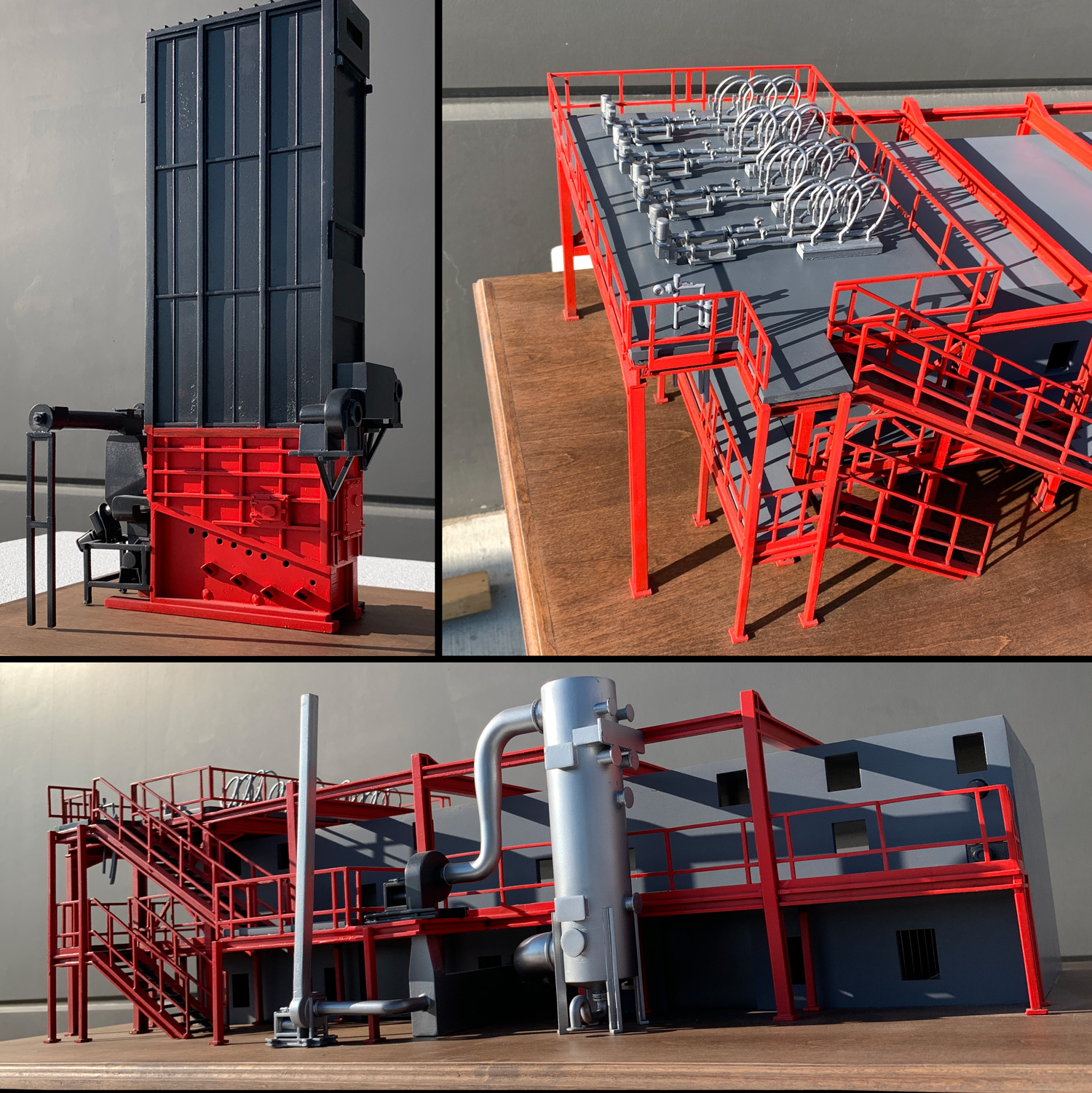
Plant models, utility models, treatment systems, infrastructure displays, and process models help teams explain layout, flow, access, scale, and operational relationships.
Trade show and sales demo displays
Industrial models can turn a technical booth into a clearer sales conversation by giving customers something physical to see, point to, and understand.
Industrial models, technical displays, equipment replicas, facility models, and cutaway models
WhiteClouds has fabricated industrial models, technical displays, equipment replicas, facility models, cutaway models, and interactive trade show pieces for manufacturers, engineering teams, technology companies, utilities, agencies, and public-facing organizations.
Explore industrial 3D model projects by application
Industrial models can be used for sales, trade shows, training, facility planning, engineering reviews, infrastructure presentations, investor meetings, and permanent technical displays. Browse examples by model type and use case.
Industrial models built for technical clarity, sales conversations, durability, and real-world display conditions
Technical Clarity
Industrial models can simplify complex equipment, processes, facilities, and systems so customers, stakeholders, and teams can understand them faster.
Built Around the Audience
A model can be designed for sales, training, investor presentations, trade shows, public education, planning reviews, or internal communication.
Cutaways and Detail
Visible interiors, removable parts, sectioned views, labels, lights, and color-coded components can help explain how a technical system works.
Display-Ready Construction
Models can be planned for tabletop display, freestanding bases, trade show booths, cases, travel, repeated handling, permanent installation, or interactive demonstration.
Scale and Transport Planning
Large equipment and facilities can be represented at a manageable size so teams can present them without transporting the real thing.
Fabrication Range
WhiteClouds can combine 3D printing, CNC fabrication, model making, painting, acrylic, metal, electronics, lighting, and custom bases to create the right result.
What clients say after the work is done
A few examples of the feedback WhiteClouds receives when the finished work is installed and in use.
“Love these guys. The quality craftsmanship is worth the investment. They were responsive to every inquiry and got the job done in no time. My project came out perfectly life-sized and completely durable. For anyone looking to make their dream a reality, I highly recommend working with WhiteClouds”
“... your team was a joy to work with – they addressed issues right away and seamlessly. Daikin was pleased with the presentation and I know that you are likely to get more business with Daikin!”
“Hey Team, just wanted to close out this project with a big thank you. The WVA looked great on the show floor. ... it was pretty helpful to take the top off when discussing the internals. Thanks again all! y'all killed it!”
Industrial models can be customized by scale, detail, display format, cutaway views, and presentation goals.
The right model format depends on what needs to be explained, who needs to understand it, where it will be displayed, how it will travel, and which technical details need to be visible.
Equipment and machinery models
Show large, complex, or hard-to-transport equipment at a practical scale for sales meetings, trade shows, training, and stakeholder presentations.
Industrial product replicas
Create physical replicas of technical products, machinery, components, tools, devices, or systems that need to be shown, explained, or demonstrated.
Facility and plant models
Represent buildings, production areas, treatment systems, utility sites, equipment layouts, and operational spaces in a clear physical format.
Process and flow models
Use layout, labels, color coding, removable parts, lighting, and visible pathways to explain how materials, water, energy, products, or systems move through a process.
Infrastructure and utility displays
Build models for dams, bridges, utility systems, treatment facilities, energy projects, transportation systems, and public-facing infrastructure presentations.
Cutaway models
Reveal internal systems, components, chambers, flow paths, wiring, piping, mechanical details, or layered construction that would normally be hidden.
Removable roof and section models
Add removable tops, panels, access sections, magnetized pieces, or lift-off components so teams can show both the exterior and interior of a system.
Interactive and lighted displays
Integrate LEDs, controls, screens, sensors, animated lighting, or highlighted flow paths to guide attention and explain technical features.
Trade show demo models
Give booth teams a physical demonstration tool that helps customers understand equipment, systems, capabilities, and value faster than slides alone.
Sales and investor presentation models
Support sales conversations, investor meetings, customer demonstrations, board presentations, planning reviews, and executive briefings.
Training and education models
Create hands-on or display-ready models that help teams explain technical systems, safety concepts, product function, maintenance access, or operational flow.
Labels, callouts, color coding, and branded graphics
Add identifiers, diagrams, color-coded zones, branded elements, arrows, labels, and callouts to make complex details easier to follow.
A physical industrial model helps people understand what drawings, photos, CAD files, and slides often cannot.
Industrial models are useful when the real equipment is too large, the process is too complex, the internal details are hidden, or the audience needs a faster way to understand how a system works.
Large equipment, systems, facilities, and infrastructure can be shown at a size that fits the room, booth, meeting, or presentation.
Cutaways, removable sections, labels, lights, and color-coded parts can reveal how a product, process, or system works inside.
A model gives sales teams, engineers, customers, trainees, and stakeholders a shared object to point to, discuss, and understand.
Industrial models can support approvals, sales, training, stakeholder education, planning reviews, and technical presentations.
A physical industrial model helps people understand what drawings, photos, CAD files, and slides often cannot.
Show scale
Physical models make large equipment, systems, facilities, and infrastructure easier to understand at a size that fits the room, booth, or presentation.
Reveal function
Cutaways, removable sections, lights, labels, and color-coded parts can show how a process or product works inside.
Improve conversations
A model gives sales teams, engineers, customers, and stakeholders a shared object to point to, discuss, and understand.
Support decisions
Models can help with approvals, sales, training, stakeholder education, planning reviews, and technical presentations.
WhiteClouds can help plan the industrial model around the audience, scale, level of detail, technical accuracy, display method, portability, lighting, labels, casework, shipping, and long-term use.
What affects the cost of a custom industrial model?
Every industrial model is priced around the scope of the build. Cost depends on size, scale, technical complexity, level of detail, materials, finish, cutaway needs, lighting, interactivity, base or case requirements, shipping, and timeline.
From technical references to a finished industrial 3D model
An industrial model project moves more smoothly when the audience, presentation goal, technical details, display format, scale, timeline, and must-show features are discussed early.
Project review
We start with the equipment, facility, product, process, or system being modeled, along with the intended use, audience, display location, deadline, shipping destination, and any CAD files, drawings, photos, diagrams, dimensions, or reference materials available.
Scale and communication planning
The team reviews the desired scale, level of detail, model type, presentation goals, cutaway needs, labels, lighting, portability, base or case requirements, and durability needs.
Design proof and approval
A design proof, rendering, drawing, or production direction is prepared when needed so the model’s size, scale, layout, color coding, labels, cutaways, finish, and display format can be reviewed before fabrication begins.
Fabrication and model making
The model is produced using best-fit methods such as 3D printing, CNC cutting, foam fabrication, acrylic work, woodworking, metal supports, painting, printed graphics, and detailed hand assembly.
Detail, lighting, and final assembly
Labels, graphics, cutaway features, removable sections, LED lighting, electronics, bases, cases, modular components, and final finishes are integrated and tested as needed.
Crating, delivery, and setup support
The finished model is packed for safe transit. WhiteClouds can provide handling, assembly, placement, and setup guidance for your team, venue, exhibit partner, installer, or local contractor.
Answers to common questions about custom industrial 3D models
What types of industrial models do you build?
WhiteClouds builds equipment models, machinery replicas, facility models, process models, infrastructure displays, utility models, cutaway models, interactive technical displays, and trade show demo models for industrial, engineering, manufacturing, utility, and technology-focused organizations.
What do you need to start a quote?
Helpful starting materials include CAD files, drawings, dimensions, photos, diagrams, product data, reference images, display requirements, intended use, approximate size, deadline, shipping destination, and any must-show technical details.
Do you need CAD files?
CAD files are helpful but not always required. WhiteClouds can often work from drawings, photos, dimensions, product samples, diagrams, site plans, sketches, and written descriptions. More detailed references generally help improve accuracy.
Can you make cutaway industrial models?
Yes. Models can include cutaway sections, removable roofs, open interiors, exposed components, labels, color coding, lighting, and other features that help explain internal systems or processes.
Can industrial models include lights or interactive features?
Yes. Industrial models can include LEDs, animated lighting, push-button controls, screens, sensors, removable parts, moving parts, or other interactive elements depending on the presentation goals.
Are these models used for trade shows?
Yes. Many industrial models are built for trade shows and sales demos because they make large, technical, or hard-to-transport equipment easier to present in a booth.
Can you build models for training or stakeholder presentations?
Yes. Industrial models can be built for training, investor presentations, planning reviews, public education, sales meetings, customer demonstrations, and internal communication.
How large can an industrial model be?
Industrial models can range from tabletop displays to large freestanding or booth-scale models. The best size depends on viewing distance, detail level, transport needs, venue access, and how the model will be used.
How long does an industrial model take to build?
Timeline depends on size, detail, technical complexity, design development, approvals, materials, lighting, interactivity, finishing, shipping, and installation requirements.
Can the model be shipped or reused?
Yes. Industrial models can be designed with crating, cases, modular sections, removable parts, and durable finishes to support shipping, trade show use, repeated presentations, or long-term display.
Get a custom quote for an industrial model built around your system, audience, and presentation goals.
Share the equipment, facility, process, or system being modeled, approximate scale, intended use, display environment, deadline, shipping destination, and any CAD files, drawings, photos, diagrams, dimensions, or technical details. WhiteClouds can help plan the model format, materials, structure, finish, lighting, shipping, and next steps.