
Planning Packaging Props for a PACK EXPO Exhibit
PACK EXPO props can make a package profile, closure, label panel, material layer, or packaging-line relationship visible at exhibit scale. The page-specific planning task is choosing the packaging feature to enlarge and positioning the physical model beside a supplied process diagram, machine, sample, or product demonstration.
Plan a Packaging Display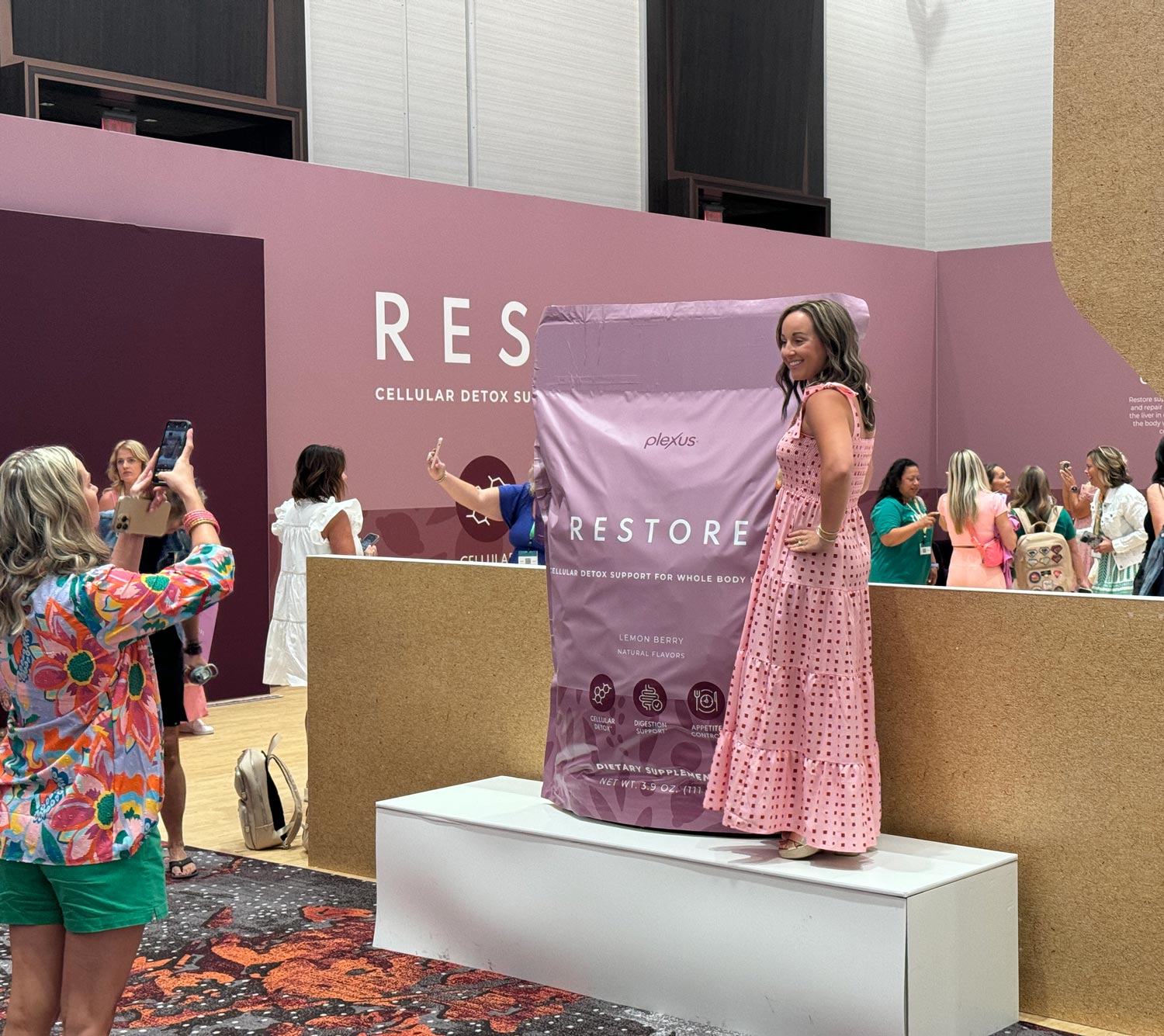
Choose the package detail the exhibit must explain
Begin with the actual package files or physical sample and identify the feature that visitors cannot see easily: profile, closure, opening, seam, label panel, internal layer, or relationship to another component. That choice determines whether the display needs a whole package or a selected section.
If the subject is a process, define the specific stages to represent. A small sequence of clearly different forms is more useful than a row of repeated packages with no stated relationship.
Match the physical model to the technical point
The display format should follow the supplied packaging explanation.
Whole package
Use the complete profile when silhouette, label orientation, closure position, or product scale is the main subject.
Sectioned package
Open only the region needed to expose an approved internal relationship, with a clearly defined cut plane and viewing face.
Layer comparison
Separate or enlarge selected layers when their order or visual distinction is the point; avoid unsupported performance claims.
Process sequence
Use several physical stages when the package changes shape or condition through a supplied packaging step.
Compare flexible and rigid package silhouettes
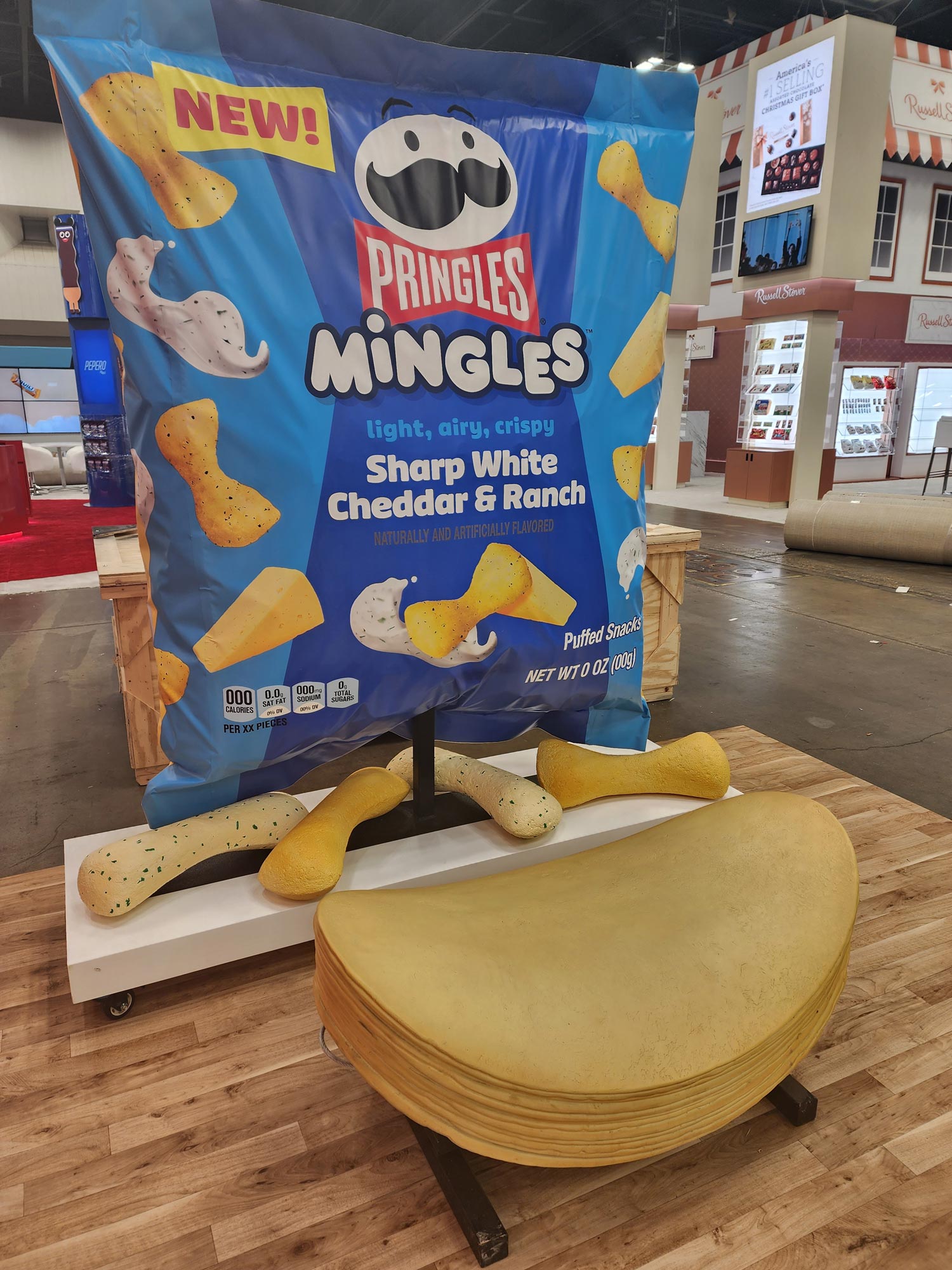
The giant Restore bag demonstrates a flexible package profile with a broad branded face. The Pringles Mingles replica uses a rigid container silhouette and a different label-panel relationship.
Both are verified WhiteClouds projects shown as supporting package examples. The Pringles replica was created for the 2024 Sweets & Snacks Expo, not as evidence of a PACK EXPO project.
Place the physical package beside the supplied explanation
Show the package model on the same elevation as the machine, sample, diagram, screen, counter, and presenter. Orient the closure, panel, or cutaway toward the person who needs to see it, and reserve clear space for comparison with the real package.
State whether the display is view-only or includes a separately defined removable section or contact point. Do not infer working machine behavior, package sealing, filling, dispensing, product containment, or food contact from an enlarged display form.
Prepare the package and demonstration relationship
The request should connect one physical model to one clear packaging explanation.
- Approved package drawings, artwork, photographs, or physical sample
- Exact closure, panel, layer, seam, opening, profile, or process stage to show
- Whole, sectioned, layered, comparative, or process-sequence format
- Model dimensions, scale, and principal viewing face
- Approved labels, diagrams, colors, and brand artwork
- Machine, sample, screen, counter, and presenter positions
- View-only or separately documented removable/contact element
- Access route, destination, event date, and installation window
Request pricing for a custom PACK EXPO display prop
Send the package references, feature or process relationship, selected model format, dimensions, demonstration plan, graphics, interaction limits, access information, destination, and schedule.