
Industrial Pump Models
Physical pump models and cutaways that make equipment geometry and selected flow relationships easier to present
A custom industrial pump model can isolate the parts and pathways an audience needs to understand without requiring full-size equipment on the floor. Scale, sectioning, labels, and motion cues should all support a defined communication task.
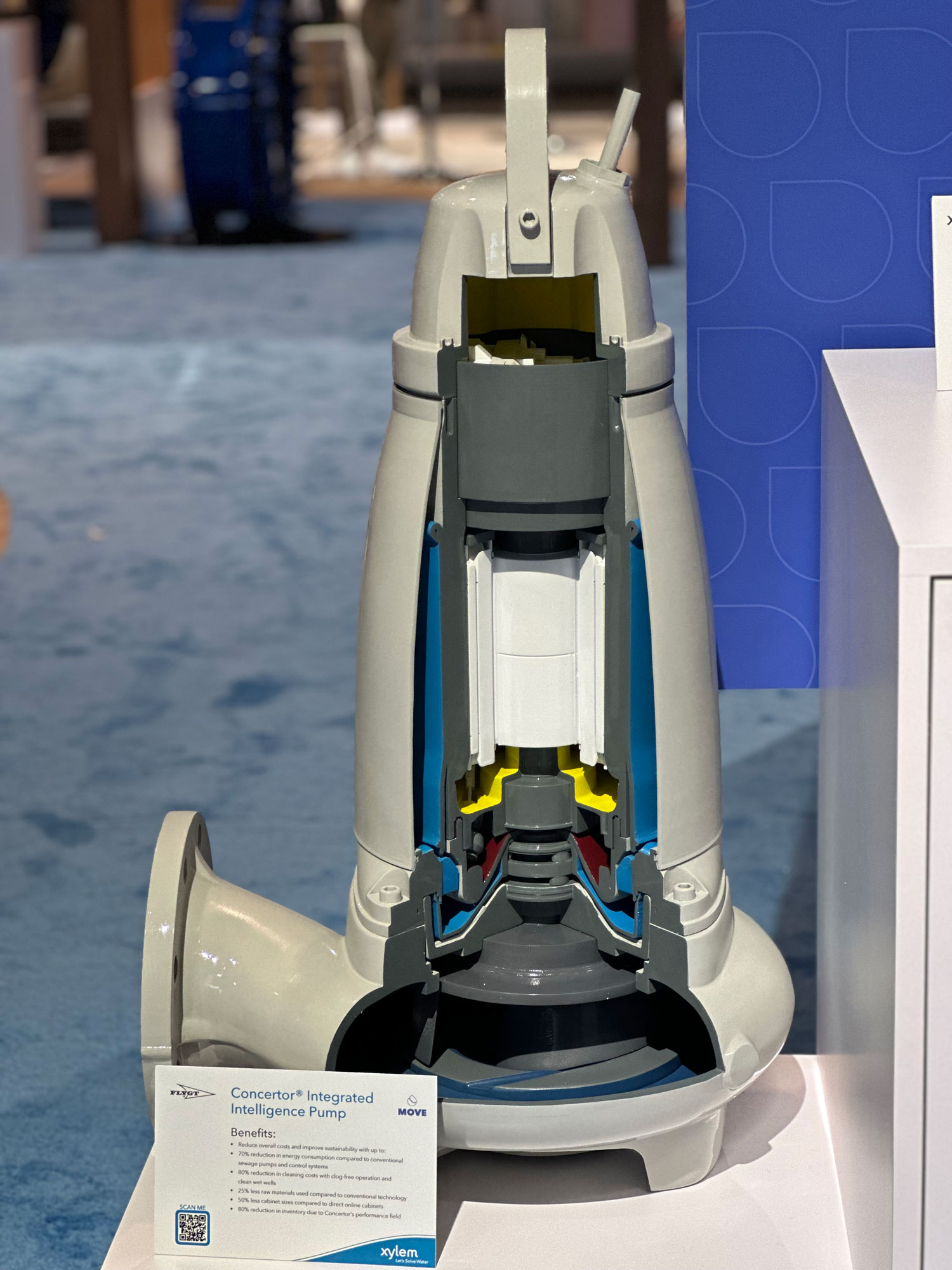
Technical Overview
Decide What the Model Must Explain
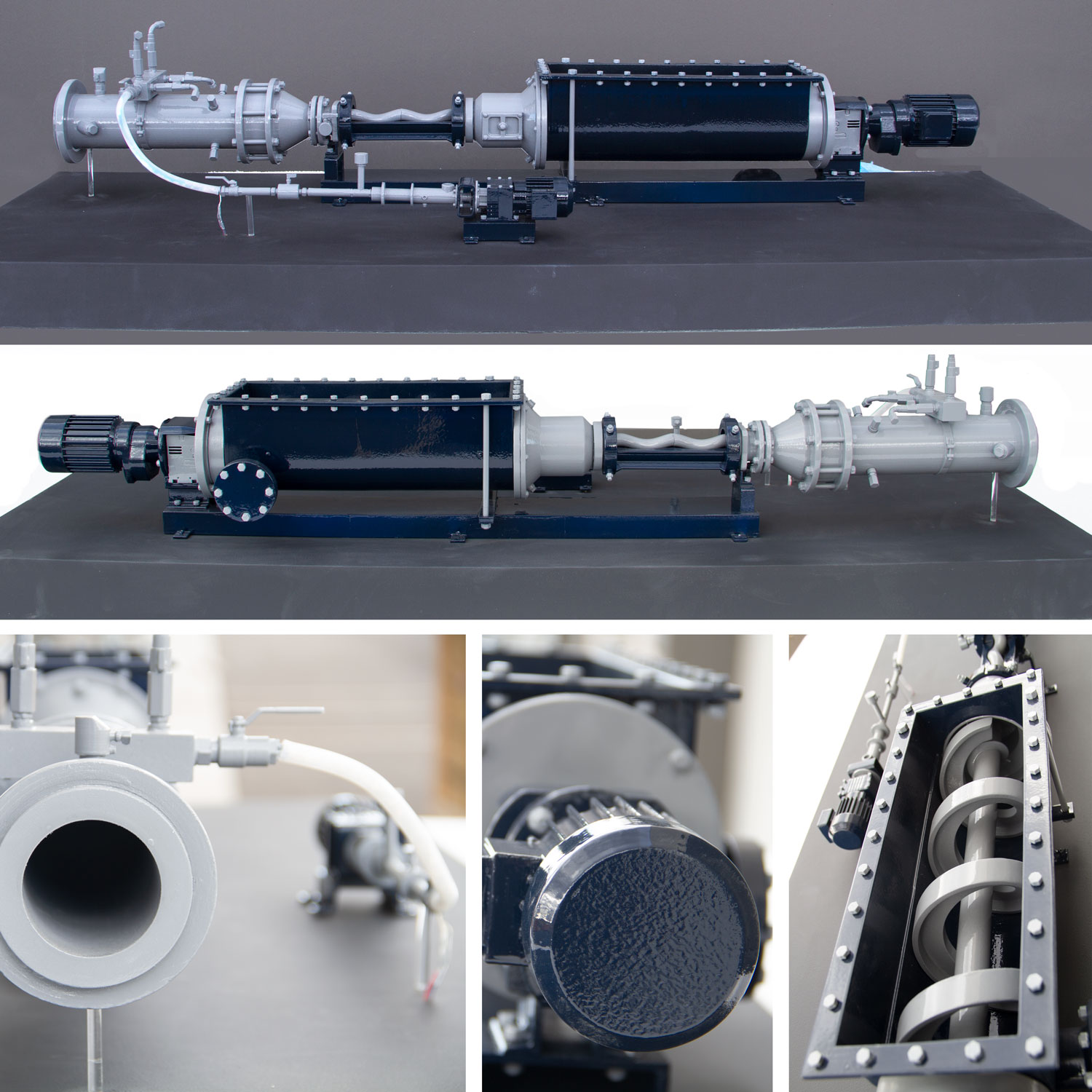
Industrial pump models can support sales presentations, training, product demonstrations, or exhibit conversations. The first decision is which part of the system the audience must understand: overall equipment form, internal component relationships, a fluid path, service access, or a comparison between configurations.
Trying to show every feature at equal emphasis can make a small model harder to read. A better brief identifies the primary lesson and the viewing distance, then assigns scale, color, labels, and cutaway openings to that information hierarchy.
Represent the Correct Pump Architecture
A centrifugal pump uses an impeller to move fluid, while positive-displacement designs move defined volumes through a repeating mechanical action. Diaphragm pumps are one positive-displacement form. A physical model should preserve the distinguishing geometry of the equipment being represented.
The model does not need to reproduce operating pressure or flow to explain component relationships. It does need current drawings and a clear decision about which housings, shafts, impellers, chambers, ports, drive components, and support structures belong in view.
Choose Scale and Visible Detail
Scale should make the important components large enough to recognize while keeping the complete display practical for its intended location. Very small hardware can be simplified, enlarged, or represented graphically when a literal reduction would make it unreadable.
Identify the side or sides from which the model will be viewed and whether it will sit on a counter, pedestal, table, or floor base. Those choices influence the display footprint, orientation, label size, and height of any cutaway window.
Use Cutaways and Visual Flow Cues Deliberately
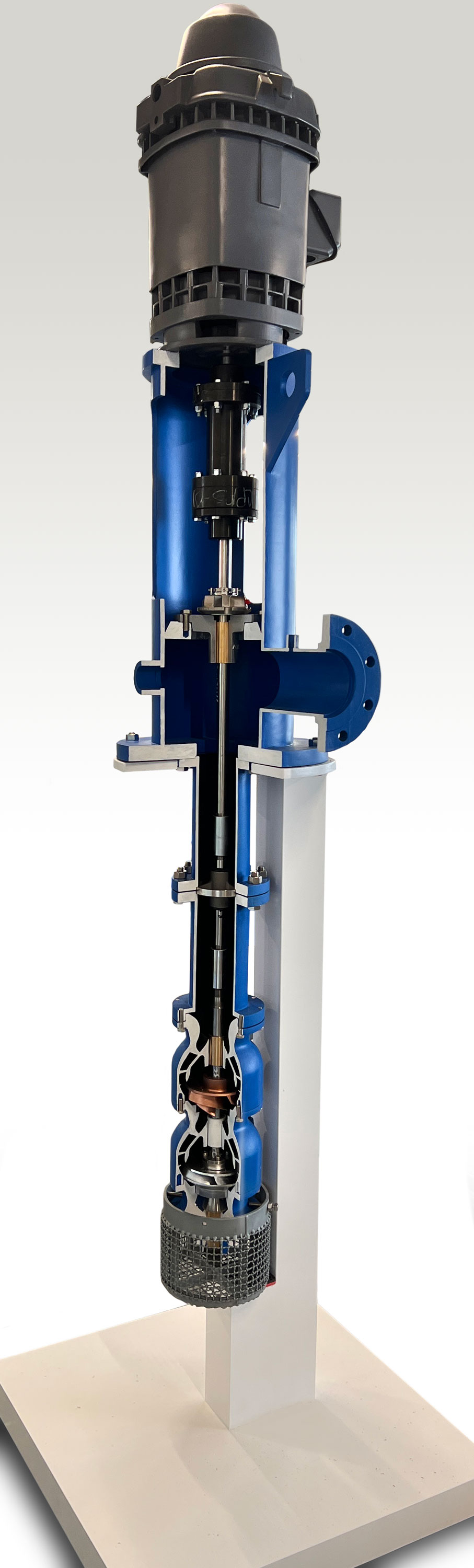
A removable panel or fixed cutaway can expose selected internal relationships while preserving enough exterior form for the pump to remain recognizable. The opening should follow the teaching goal rather than simply removing the largest possible portion of the housing.
Color coding, arrows, transparent areas, or programmed LED sequences may indicate a path through the model when the brief calls for them. These are explanatory devices, not proof that the display duplicates the operating behavior of the full-size machine.
Develop the Model From Controlled Files
Current CAD data is the strongest starting point, supported by dimensioned drawings, photographs, finish references, and component names. Proprietary geometry can be limited to the parts needed for the display, and the source package should identify the approved product revision.
During model development, review the overall silhouette, cutaway boundary, component colors, label wording, base treatment, and any illuminated sequence. Confirming those items before fabrication reduces ambiguity when the display is assembled and finished.
Plan the Presentation and Handling
The project brief should state where the model will be used, how often it will travel, who will handle it, and what power or setup resources will be available. A shipping case, removable parts, or a compact base may be appropriate, but those features should be specified rather than assumed.
WhiteClouds can evaluate the equipment files and presentation goals together, then plan a physical pump model around the relationships that matter to the intended audience.
Plan a custom industrial pump model
Review industrial model capabilities and examples of physical equipment and process displays.
Tell us what your model needs to communicate
Share the intended audience, approximate size, level of detail, available source files, and project timeline.