
Planning Medical Device Props for an Association Expo
Medical device props for an association expo can enlarge a hand-held instrument, isolate one product feature, or present a device family at a readable physical scale. The useful page-specific task is deciding which device forms should support the supplied demonstration without claiming clinical function.
Plan a Medical Device Display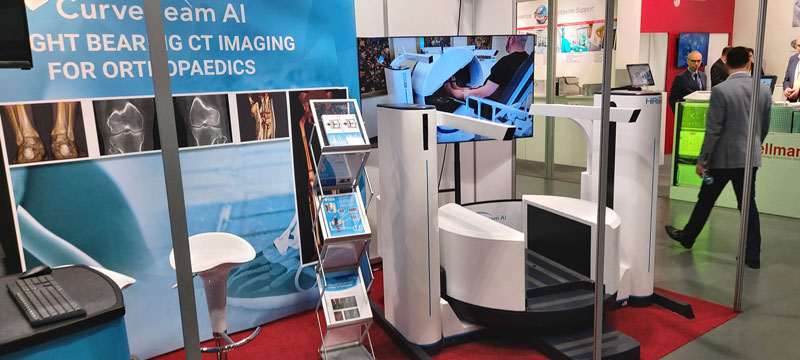
Start with the feature the live product cannot show
Identify the control, opening, interface, internal relationship, or scale comparison that visitors need to see. Then choose a physical form that makes that one feature legible rather than enlarging every detail equally.
A full-scale replica can represent a large machine when the actual equipment is unavailable. A hand-held instrument may need enlargement. A product family may need several related forms at different scales, with each scale clearly stated.
Match the prop type to the demonstration
The selected format should support the presenter without implying that the display performs a clinical procedure.
Full-scale exterior
Use the actual product envelope when overall stance, access point, or person-to-device relationship is the subject.
Enlarged instrument
Increase a small tool enough to reveal its grip, controls, tip, or connection points from the expected distance.
Selected cutaway
Define a limited section and the internal regions to show; do not imply complete working anatomy or device behavior.
Related device set
Arrange several models when product variants or component relationships need side-by-side comparison.
Compare large equipment with hand-held tools
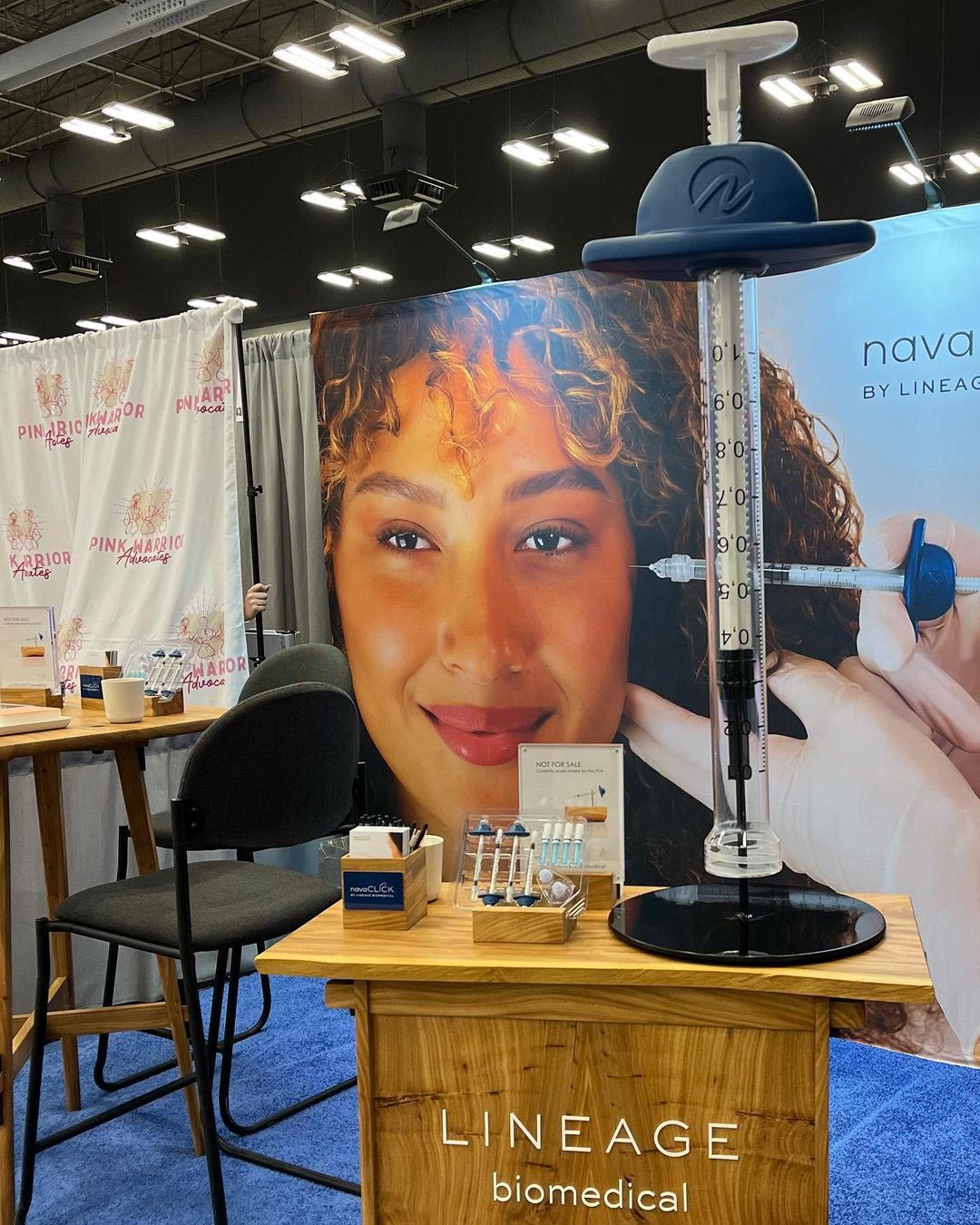
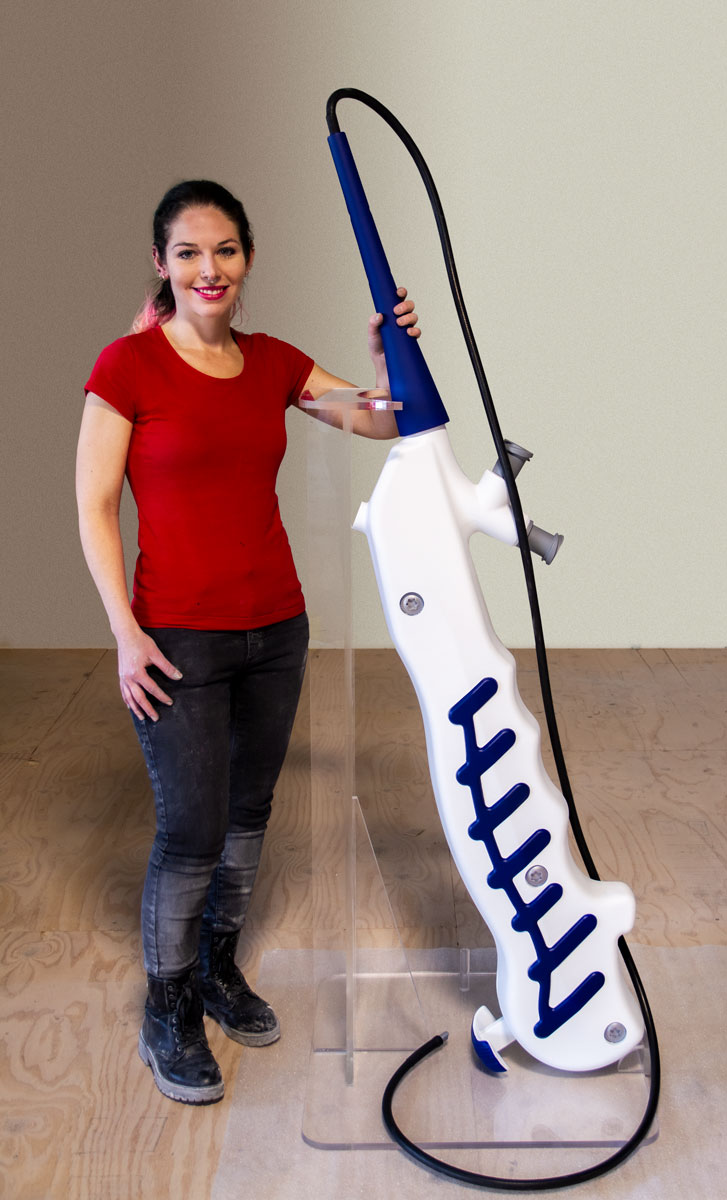
The CurveBeam HiRise replica preserves the overall full-scale equipment relationship. The Navaclick syringe and endoscopy tool examples use enlargement to present narrower hand-held device forms.
These are separate WhiteClouds projects shown as relevant physical examples. They do not establish a commission by, endorsement from, or appearance at the association expo named in this page.
Align the model with the presenter and product screen
Mark the presenter location, audience approach, counter height, screen position, and principal viewing distance. Rotate the model so the feature being discussed faces that relationship rather than defaulting to the product's usual storage position.
State whether the piece is view-only or whether a separately defined control, removable part, or touch area is required. Do not assume power, motion, lighting, electronics, load capacity, or clinical function.
Prepare a bounded display request
Keep the request on the physical communication problem.
- Approved device drawings, photographs, scans, or product sample
- Exact control, opening, interface, feature, or comparison to show
- Full-scale, enlarged, simplified, selected-cutaway, or product-family format
- Overall dimensions and principal viewing face
- Approved labels, colors, diagrams, and brand artwork
- Presenter, counter, screen, product, and viewer positions
- View-only or separately documented interaction
- Access route, destination, event date, and installation window
Request pricing for a custom medical device display
Send the approved device references, feature to show, model format, dimensions, presentation plan, graphics, interaction limits, access information, destination, and schedule.