
Giant Laptop Props for Technology Displays and Events
A giant laptop can follow a particular device or use the clamshell, screen, keyboard, and trackpad as an original technology-themed display. WhiteClouds can begin with device references, approved interface artwork, campaign graphics, or a sketch. Before pricing, establish the screen angle, overall proportions, keyboard depth, finish, viewing direction, support, display location, and limits along the delivery route.
Plan a Giant Laptop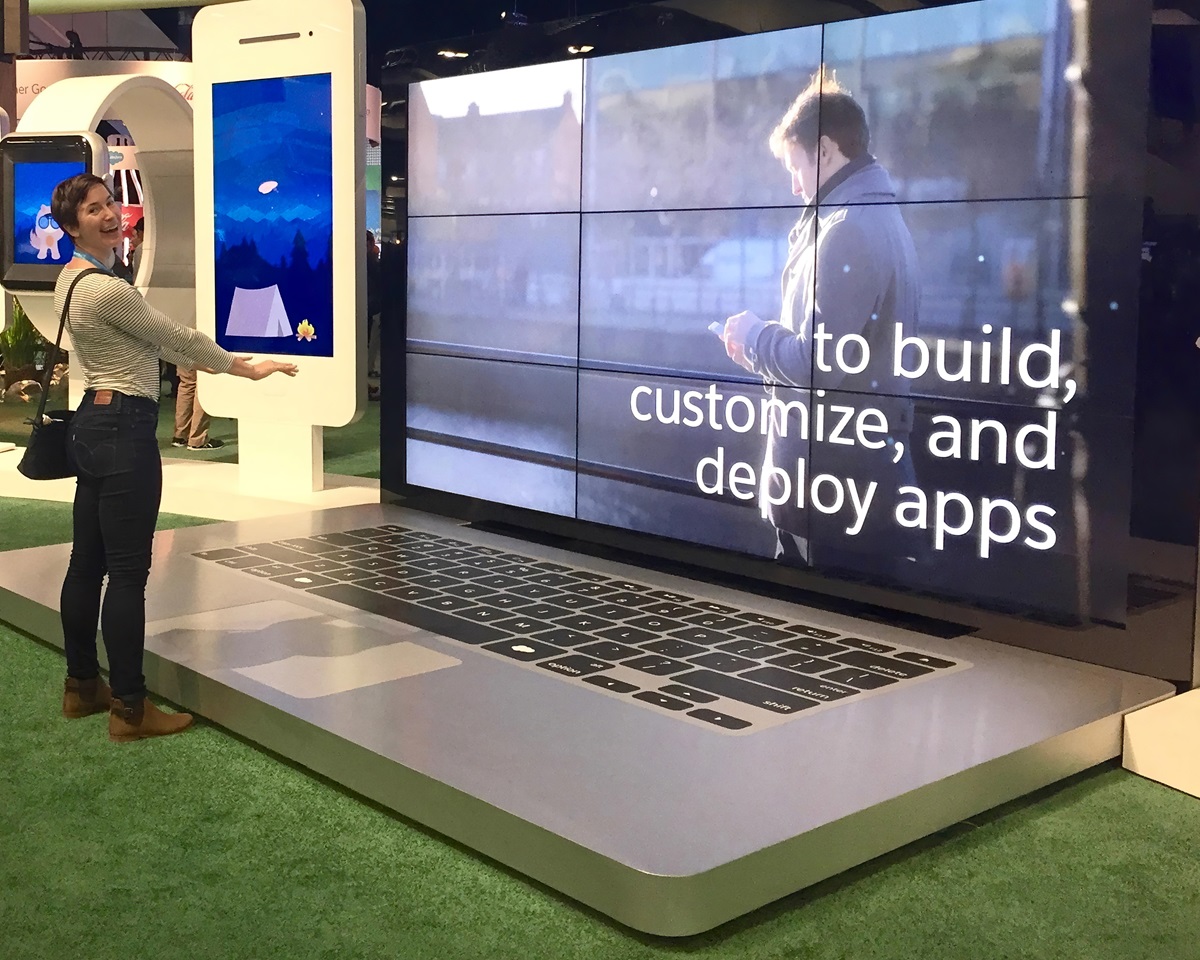
- The open clamshell profile distinguishes a laptop from a flat phone display or a keyboard used on its own.
Use the clamshell silhouette to frame a technology story
A laptop is read through the angle between two planes. The screen creates a large visual field, while the keyboard and trackpad establish the familiar working surface. WhiteClouds can strengthen those features for the selected viewing distance, simplify minor controls, and adjust proportions so the prop remains clearly identifiable from a conference aisle or stage audience.
The screen can carry approved static artwork, a dimensional interface treatment, or a separately planned display element. The outer shell may follow a generic device, an original futuristic form, or approved product references. A photograph and one sentence about what the screen should communicate can begin the project conversation without a finished engineering brief.
Move from clean product icon to theatrical digital scenery
The screen and base can be handled with different levels of realism depending on the campaign.
Graphic technology icon
Use a simplified shell, readable keys, and a bold static screen for stages, events, or exhibits.
Product-inspired replica
Follow approved device proportions, finish, keyboard arrangement, and interface cues where close fidelity matters.
Original digital portal
Treat the open laptop as a frame for invented software, data, media, or immersive visual storytelling.
Designed for launches, conferences, exhibits, retail, and stages
The object is most useful when a technology story needs both a physical landmark and a visual screen.
Software and product launches
Frame approved interface art, feature messaging, demonstrations, or a campaign moment around a familiar device.
Conferences and exhibits
Use the laptop as a keynote object, educational display, demonstration setting, or physical frame for approved interface and campaign graphics.
Retail and entertainment
Use the laptop in a window, original set, oversized office scene, stage, or technology-themed attraction.
Coordinate shell, screen, keyboard, and viewing angle
The most important decisions are the ones visitors can read from the primary approach.
Screen treatment
Use approved static art, dimensional interface cues, a clean blank field, or a separately defined display component.
Device details
Set shell thickness, corner radius, keys, trackpad, ports, finish, and any restrained approved identity.
Presentation
Choose a freestanding open laptop, angled platform, stage facade, wall relief, or an original oversized desk scene.
Share the laptop reference and what should appear on screen
A screenshot, product image, or rough stage sketch is enough to establish an initial direction.
Send the preferred laptop silhouette, finish, and level of detail.
Share approved art, interface inspiration, or the central campaign message.
Provide the venue, approximate size, main sightlines, schedule, and access context.
What may shape the quote
Overall width, screen and keyboard detail, finish, graphics, support, viewing sides, base, transportation, and any separately reviewed display technology can affect pricing. Static artwork and working electronics are different scopes.
Useful context for an early conversation
Can a giant laptop follow a specific device?
Yes, when approved references are supplied. It can also use an original generic design that communicates a laptop without copying a protected product.
Does the giant laptop include a working screen?
Not by default. The concept is a physical display prop; any working display must be defined and evaluated separately.
Tell us what should open on the giant laptop
Share the device or sketch, screen concept, approximate size, setting, deadline, and approved graphics. WhiteClouds can help shape the display and project pricing.